


Arkansas News from THV11
4.5652.00 Reviews
App Specs
- Version
- 50.23.2
- Updated On
- License
- Free
- Downloads
- 100,000+
- Developer
- TEGNA
- Categories
- News & Magazines
- Platform
- Android
Screenshots


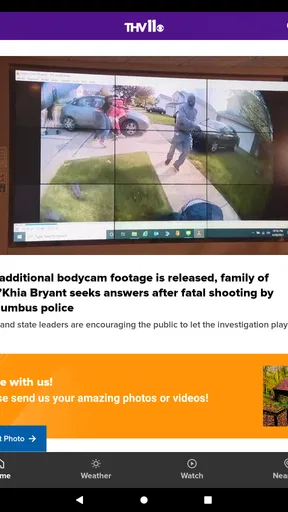
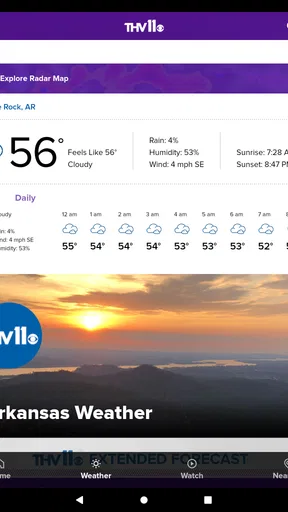
 Analysis by AppCompare
I approached Arkansas News from THV11 as a practical local-news companion rather than as a replacement for every news source on my phone. It is a free News & Magazines app from TEGNA, built for people who want Arkansas headlines, weather information, and traffic updates in one focused place. That narrow purpose is its biggest advantage: when I am trying to understand what is happening nearby, I do not have to sort through a national feed first.
The app has been available since March 22, 2012, and its current version is 50.23.2. It supports Android 7.1 and later, carries an Everyone age rating, and has passed the 100K-plus install mark. Those details make it approachable for many Android users, including people who keep an older phone for everyday news and utility tasks. Its average rating is 4.5 from around 2.5 thousand ratings, with 652 written reviews, so there is a substantial amount of user feedback behind that overall impression.
Where the everyday experience can get stuck
The first thing I would tell a new user is not to expect a broad, endlessly customizable news platform. This is an Arkansas-focused app, and that focus shapes the experience. If your main interest is local reporting, regional weather, and traffic, the limited scope feels useful. If you want a large collection of national newspapers, international coverage, or a heavily personalized magazine-style feed, you may find it too narrow.
Another possible sticking point is knowing where to look first. A person opening a local-news app may immediately search for a particular story, check the weather, or look for a traffic problem. Those are different tasks, and moving between them can feel less obvious than simply opening a general search engine. My advice is to treat the app as a quick local dashboard: begin with the main news stream, then move to the specific information area you need instead of judging the whole app from the first screen.
Local news also changes quickly. A headline can be useful for orientation while the situation is still developing, but it may not answer every question you have about road closures, school decisions, severe weather, or an ongoing event. I found it more sensible to use the app for the first reliable picture of a local story, then read the available coverage carefully before making a decision that depends on changing conditions.
The most important trade-off is focus versus breadth. The app is easier to understand when you want Arkansas information, but it is not the best single destination for everything happening beyond the state. Keeping that expectation clear prevents much of the frustration users often blame on the app itself.
Why local context matters more than a large feed
Compared with a national news aggregator, this app has a practical advantage for regional readers: the subject matter is closer to daily life. A national app might show a major story from across the country before a nearby road issue or local development appears. Here, the Arkansas emphasis makes the service more relevant when your question is, “What affects my area today?”
Worth Reading Before You Choose

EA SPORTS FC Mobile 26 Is a Bigger Football Game, but It Takes Time

Flipboard Shows What News Apps Must Do Beyond the Feed

Switching to Android Auto Means Rethinking Your Driving Routine

Google Calendar Makes a Crowded Week Easier to Manage

Ludo King Makes the Most of the Minutes Between Plans

Baby Panda World Brings Quick Play to Modern Phones, but Its Game Library Feels Busy
That also means the app is especially useful for residents, commuters, families with local schedules, and anyone who has moved to Arkansas and wants a straightforward way to become familiar with regional events. Visitors may also appreciate it during a trip, particularly when weather or traffic could change their plans. People who rarely need Arkansas coverage should probably choose a broader news service instead.
Setup checks that prevent avoidable trouble
Because the app supports Android 7.1 and later, the first setup check is simple: confirm that the phone meets that minimum requirement. On an older device, the operating system can affect installation, updates, loading speed, and general stability. If the app does not appear to work properly, checking the Android version is more useful than repeatedly opening and closing the app.
I would also make sure the phone has a dependable connection before deciding that the news content is unavailable. Local headlines, weather information, and traffic details all depend on current content being delivered to the device. A weak mobile signal, an unstable Wi-Fi connection, or switching between networks can make an app appear frozen when the underlying problem is connectivity.
A sensible first-use routine is to open the app on a reliable connection, allow the main content to finish loading, and then try each area you expect to use. Check a news item, look at the weather information, and view the traffic section separately. This small test helps identify whether the issue affects the entire app or only one type of content.
If the app is installed on an older phone, I would avoid judging it while several other demanding apps are running. Close unnecessary apps, reopen Arkansas News, and give the device a moment to complete its work. That is general Android housekeeping rather than a special feature, but it can distinguish a device slowdown from a problem with this particular application.
The app is free, which removes a major barrier during setup. You can try it without committing to a subscription or purchase. I still recommend deciding what you want from it before spending time adjusting your routine: quick Arkansas headlines, local weather awareness, and traffic information are the clearest reasons to keep it installed.
What to check before assuming content is missing
When a story, weather update, or traffic detail does not appear as expected, I would first refresh my understanding of the screen rather than assume the information has disappeared. Local coverage can be organized by topic or presented in a changing order, so the item you want may not be at the top. Scroll deliberately, return to the main area, and reopen the relevant section.
It is also worth checking whether the problem is temporary. A developing story may change while you are reading it, and a traffic situation can evolve faster than a static page. If the app opens normally but one item looks outdated, compare the behavior after reconnecting to the internet and reopening the screen. That is a safer troubleshooting step than repeatedly reinstalling the application.
Android users sometimes focus on storage too late. If the phone is nearly full, updates and temporary loading tasks can become unreliable across many apps. Freeing a little space, restarting the phone, and then trying again is a reasonable general check. I would use this approach before clearing app data, because more aggressive steps can remove local settings and make the next setup less convenient.
Recovering your workflow when something goes wrong
My preferred recovery sequence is gradual. First, return to the main screen and try the task again on a stable connection. Next, close and reopen the app. If the issue continues, restart the phone. Only after those steps would I consider checking for an available app update or reinstalling it. This order preserves time and avoids turning a small loading problem into a complete setup reset.
Reinstalling can help when an installation has become damaged, but it should not be the first response to every missing headline. It takes longer and may require you to repeat any choices you made during the original setup. If the app works in some areas but not another, a full reinstall may be disproportionate to the problem.
A useful workaround is to separate your information needs. If you need to know whether a local event is affecting your route, use the traffic information for the immediate check, then return later for the broader news context. If weather is the urgent concern, look at that information first instead of waiting for every part of the news experience to load. This makes the app more useful during busy mornings because you are not treating it as one all-or-nothing screen.
For a realistic example, imagine leaving home for work while rain is moving through the area and a route may be affected. I would open the app on Wi-Fi before leaving, review the local weather information, and then check traffic immediately before departure. If one section seems slow, I would not assume the other section is equally affected. That two-step habit is more dependable than opening the app once and expecting every update to arrive at exactly the same moment.
Another helpful habit is to read the timestamp or publication context attached to a story when available rather than relying only on its position in the feed. A headline near the top is not automatically the newest information for the particular issue you care about. This matters especially for weather and traffic, where the practical value of an update depends on how current it is.
When a reset is reasonable
If the app repeatedly fails to open, closes during ordinary use, or remains unusable after a connection check and phone restart, a clean reinstall becomes more reasonable. Before doing that, I would make sure the phone is running a compatible Android version and has enough free storage. I would also test another app that uses the internet, because that quickly shows whether the wider device connection is involved.
When only one story refuses to load but the rest of the app behaves normally, I would wait and try again later rather than repeatedly resetting everything. When the complete app fails while other online apps work, the problem is more likely to be specific to the installation or current service availability. The distinction is not perfect, but it leads to less wasted effort.
When the app is not the cause
It is easy to blame a local-news app when a traffic map or weather update does not match what you see outside. In reality, rapidly changing conditions can make any digital report lag behind events on the ground. The app can help you form a plan, but I would not treat one screen as the sole authority during dangerous weather, an active emergency, or a rapidly changing road situation.
The phone itself can also be the weak link. An outdated operating system, limited storage, aggressive battery management, or a poor network connection can affect loading even when the application is functioning normally. If several apps are slow, the right fix is probably device maintenance or connection troubleshooting rather than removing Arkansas News.
There is also a difference between a content limitation and a technical failure. If you want international reports, extensive national analysis, or a large archive of specialized topics, the app may feel incomplete because its purpose is regional. Installing another app for broader coverage is not a repair; it is a sensible combination of tools.
For serious decisions, I would use the app as one part of a wider routine. Check the local report, confirm urgent instructions through appropriate official channels, and use direct information from schools, employers, transport providers, or emergency services when the situation calls for it. That is not a criticism of this particular application. It is a sensible boundary for any news app, especially one used for time-sensitive local information.
Who will appreciate it most
I think Arkansas residents will get the most value, particularly those who want a simple regional starting point instead of a noisy national feed. It also suits people who check local information in short sessions: before commuting, during a weather change, or while catching up on nearby events after work.
The app is a good fit for an older compatible Android phone because its minimum operating-system requirement is not limited to the newest devices. That can make it useful as a dedicated local-information tool on a spare phone. The Everyone rating also makes it approachable for households looking for general news access without an age-restricted presentation.
I would be more cautious about recommending it to someone who wants deep customization, a single place for many states, or a carefully built reading list across numerous publications. A broader aggregator or a collection of direct news apps would better match those needs. The choice depends less on the 4.5 average rating than on whether Arkansas is genuinely the region you need to follow.
My practical verdict after using it as a local companion
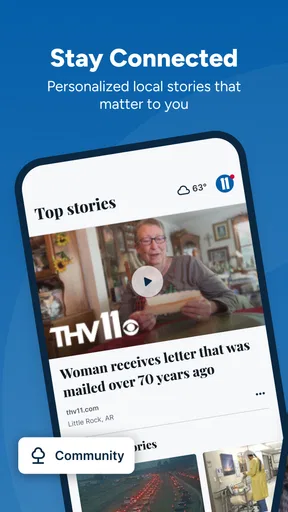
Arkansas News from THV11 succeeds because it keeps its purpose understandable. TEGNA has positioned it as a regional news, weather, and traffic app, and that combination is useful in ordinary routines where local context matters more than a huge catalog of stories. I especially like the idea of opening it before a commute or during changing weather, then using the relevant section instead of browsing aimlessly.
Its limitations are equally clear. It should not be your only source for urgent safety decisions, and it will not satisfy readers looking for broad national or international coverage. Some apparent problems may come from connectivity, an older phone, storage pressure, or the fast-changing nature of local information rather than from the app itself. A calm setup check and gradual recovery process usually makes more sense than immediately reinstalling it.
With a free price, support for Android 7.1 and later, and an Everyone rating, it is easy to try for the right audience. I would recommend it to an Arkansas-based reader who wants a focused daily check of nearby news, weather, and traffic. I would skip it as a primary choice only if my information needs extend well beyond the state or if I prefer a highly customized multi-source reading experience.
My final recommendation is straightforward: install it if Arkansas is where your daily decisions happen, keep your expectations regional, and use a stable connection when checking time-sensitive updates. Used that way, this app is most valuable as a quick local decision-making tool, not as an all-purpose news universe.
Pros
- Covers local Arkansas news
- weather
- traffic
- and community stories in one app.
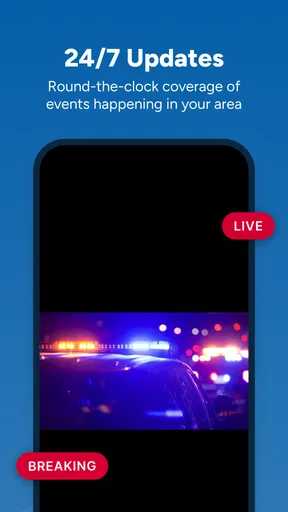
- Push alerts help users stay informed about breaking news and severe weather.
- Live video and newscasts make major events easier to follow as they happen.
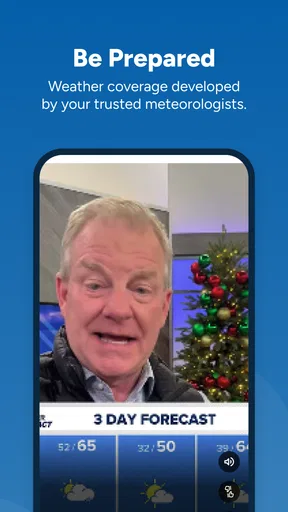
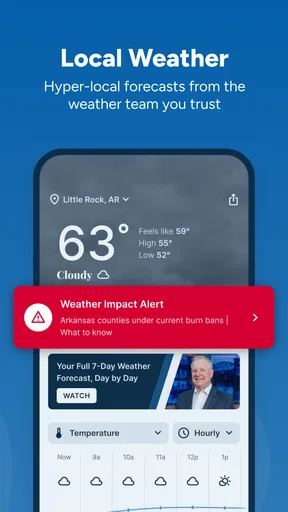
- Weather forecasts include radar and useful details for planning the day.
- Simple navigation lets users quickly switch between news
- video
- and weather.
Cons
- Frequent breaking-news alerts may feel excessive without notification customization.
- Some stories may take time to load on slower mobile connections.
- Video content can consume significant mobile data when streamed regularly.
- Coverage is focused on Arkansas
- so it offers limited value outside the region.
- Advertising may interrupt browsing and reduce the overall reading experience.
FAQs for Arkansas News from THV11
What is Arkansas News from THV11?
Arkansas News from THV11 is a local news app focused on delivering updates from across Arkansas. It typically covers breaking news, weather, traffic, sports, politics, crime, community stories, and regional events. The app is designed for users who want quick access to THV11 reporting without relying only on television broadcasts or the station’s website.
What type of news and content can I find in the THV11 app?
The app brings together several categories of local and regional information, including breaking news alerts, weather forecasts, severe-weather coverage, traffic conditions, sports reports, investigative stories, and community updates. Depending on your location and current events, the available content may also include live broadcasts, video reports, photo galleries, and links to fuller articles from THV11 journalists.
Does Arkansas News from THV11 provide weather alerts and live updates?
Weather is one of the app’s most useful features for Arkansas residents, particularly during storms, flooding, tornado threats, or extreme temperatures. Users may receive forecast information, radar-related coverage, and breaking weather notifications. Availability can vary by device, location, and app version, so notification permissions and location settings should be reviewed after installation.
Is Arkansas News from THV11 free to download and use?
The app is generally available as a free download for compatible Android and iOS devices. You can usually read news stories and access standard features without paying a subscription fee. However, the app may contain advertising, and some content could open external THV11 services or websites. Mobile data charges may also apply when streaming video or using the app away from Wi-Fi.
Does the app require my location or personal information?
You can normally use the main news features without sharing precise location information, but enabling location access may improve locally relevant weather, traffic, and breaking-news coverage. The app may also request permission to send notifications, use mobile data, or access other device functions. Before accepting permissions, check the current privacy policy and your phone’s settings to choose only the access you are comfortable providing.


